getit: The Personal Wellness App That Actually Knows What It's For
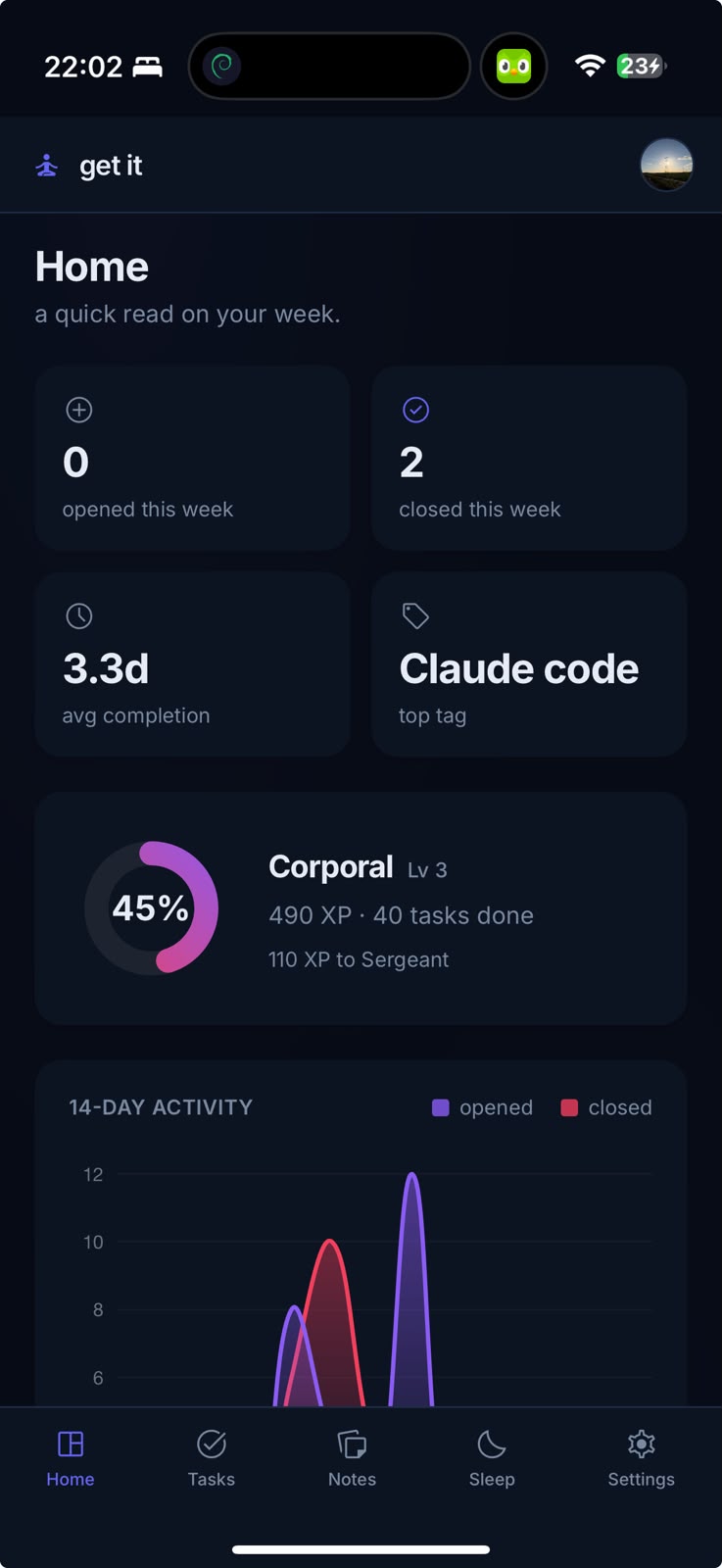
There is something satisfying about software that has a clear sense of what it wants to be. The personal productivity space is absolutely overrun right now by apps with more features than any human could realistically use, dashboards that require an onboarding tutorial just to locate the button you need, and pricing tiers that make your eyes water before you have even typed a single task. Against all of that noise, getit arrives as something far more considered.
Built as a Progressive Web App, which means you can install it on your phone or desktop and have it behave like a native application without any app store friction whatsoever, getit is a personal wellness and productivity tool that covers the things people actually need with real care. The technology underneath is modern and robust, running on Cloudflare Workers for the backend and a lightweight SQLite database at the edge, though you would never know any of that from the outside because the whole thing just feels fast and clean and immediate.
The task manager is the centrepiece of the app and it earns that position. You create groups of tasks, each with its own colour so you can tell your projects apart at a glance, and within those groups you drop in individual tasks that carry one of three statuses: to do, in progress, or completed. Those states live as small clickable pills that sit directly on every task card, which sounds like a minor implementation detail until you are actually using it and you realise how good it feels to tap something and watch it change instantly. Groups collapse when a project is wrapped up, keeping the whole view from becoming a wall of noise. You can sort by how much active work remains in each group, or alphabetically, depending on your mood. It is the kind of flexibility that rewards you for having a lot on your plate rather than punishing you for it.
The templates feature is where the task system gets particularly clever. Rather than starting every new project group from scratch, you build a template once. Give it a name, a colour, and a list of the tasks that always appear at the start of that kind of project. From then on, when you create a new group, you choose your template from a dropdown and the tasks populate automatically. The templates live in the database rather than just your browser, which means they follow you across every device you log in from without any syncing nonsense to worry about.
Alongside tasks, getit includes a wellness check-in section where you record a mood score from one to ten and attach a note if you feel like saying more. This sounds almost too simple to bother mentioning, but the simplicity is precisely the point. You are vastly more likely to build a consistent habit of checking in with yourself when doing so takes fifteen seconds rather than five minutes. The app surfaces streaks, running averages, and a chart of your last two weeks so you can spot patterns without being buried in analytics.
The sleep planning section is quietly one of the most useful things in the whole app, and it would be easy to scroll past it without fully appreciating what it does. You set up your different schedules, maybe an early start week and a late one, define when you need to be at the office, tell it how long you need to fall asleep, how much sleep you want, and how long your morning routine takes. The calculator then works backwards through all of that and presents you with a clear timeline: when to start winding down, when to get into bed, when you will actually be asleep, and when the alarm needs to go off. Each section shows its total span so you can see exactly how the hours are being accounted for. It sounds like a niche feature until the moment it saves you from lying in the dark doing maths when you should be sleeping.
Notes round out the picture, sitting in colour-coded groups with an editor that stays out of your way. There is no markdown wizardry or collaborative cursor nonsense here, just a reliable place to put things you want to remember.
The design holds everything together in a way that feels genuinely finished rather than functional but grim. Light and dark modes are both properly considered, the accent colour is changeable in settings if you want something other than emerald green, and the whole thing is fast enough that you never find yourself waiting for the interface to catch up with you.
Security is handled properly too, with bcrypt password hashing and an optional second factor via a time-based one-time password if you want the extra layer.
getit is not trying to replace every tool you own. It has a clear scope and it executes that scope with conviction. At a time when most apps seem terrified of leaving anything out, that clarity is genuinely rare and genuinely welcome.