Finally, a Home for Everything You Actually Want to Remember
There is something uniquely frustrating about having a brain full of useful information and nowhere sensible to put it. You save a link to your phone notes, you email yourself an article, you screenshot something on Instagram and never look at it again. The information exists somewhere in the universe but it is not, functionally, anywhere you can find it. The Knowledgebase sets out to fix that problem, and it does so with a level of polish that feels remarkable for a personal project.
At its core, The Knowledgebase is a personal knowledge management system. That sounds dry when you write it out, but the experience of using it is anything but. You get a clean, well-designed dashboard that loads fast, looks great, and does not get in your way. Dark mode, light mode, it adapts. On your phone or on your desktop, it adapts again. There is no learning curve to speak of because everything is more or less exactly where you would expect it to be.
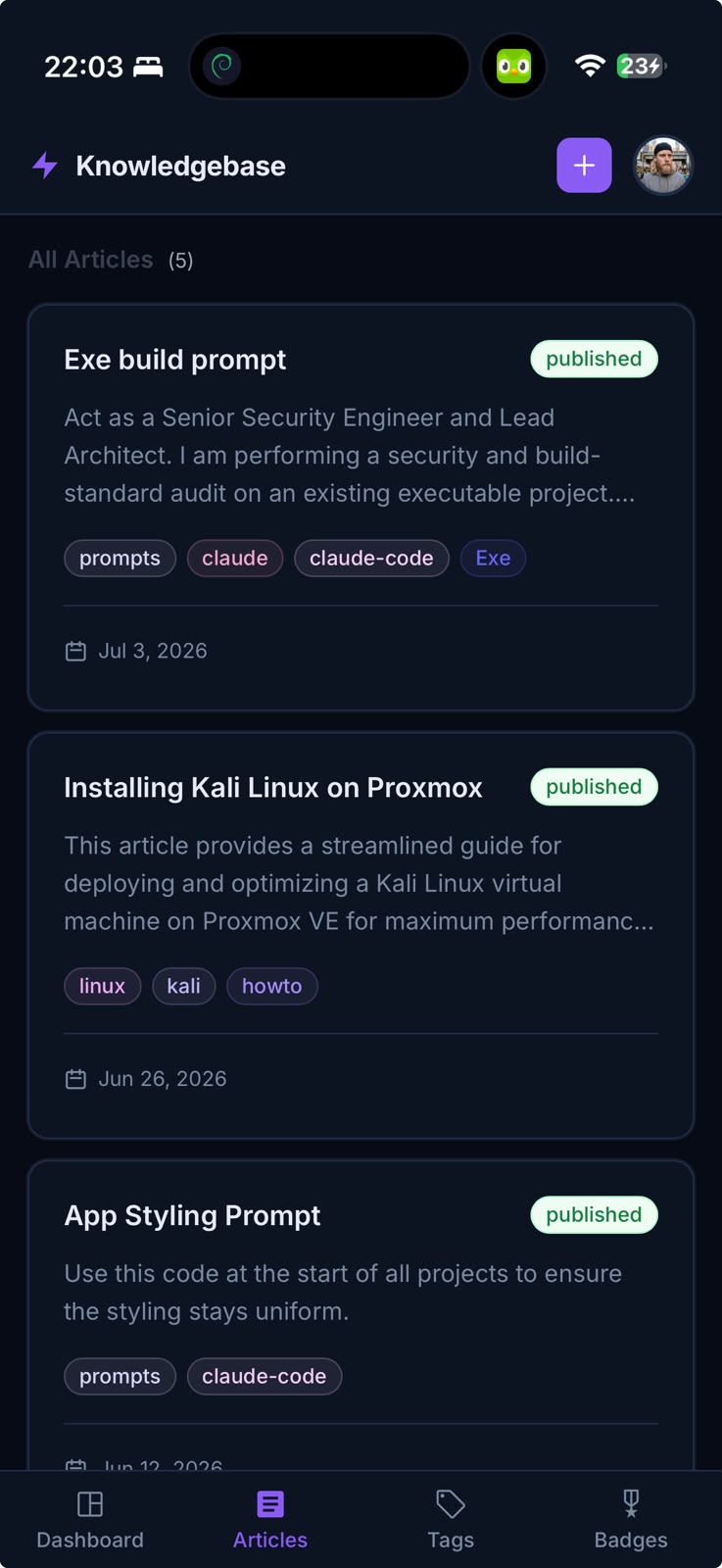
Articles are the backbone of the whole thing. You write one, you give it a title, you paste in the content, you add a source URL if it came from somewhere online, and that is largely it. The editor is unfussy and the save process is instant. What makes it more interesting than a simple notes app is the tagging system layered on top. Every article can carry multiple tags, and those tags are displayed in a colour that you choose from a genuinely lovely pastel palette of pinks and purples. It sounds like a small thing but when you are looking at a tag cloud and the colours are soft and cohesive rather than garish and random, it makes the whole experience feel considered rather than cobbled together.
The dashboard itself earns its keep. At the top you get a stats row showing how many articles you have saved, how many tags you have created, and your latest badge earned. Below that sits a monthly activity chart that maps out your contributions over time, which is more motivating than you might expect. Seeing a quiet month followed by a busy one gives you a small push to keep going. Alongside the chart there is a badges section that tracks achievements: your first article published, your tenth, your fiftieth. They are small rewards but they land with a satisfying weight. The badge icons are clean Material Symbols throughout, not the jarring emoji-heavy approach so many apps lean on.
The search experience deserves a mention on its own. The header search bar works across your entire library and the results feel snappy. You can also filter articles by tag directly from the articles view, clicking a tag in the cloud at the top to narrow everything down instantly. If you are the kind of person who saves articles obsessively and then struggles to find them later, this combination of search and tag filtering is the thing that will actually save you.
On the account side of things, the app supports multi factor authentication, password resets via email, and a settings page where you can update your username, bio and avatar. These are not features that sound exciting to write about but they matter enormously when you are trusting an app with a library of personal knowledge you have built up over months or years. The security scaffolding is there and it works.
The progressive web app setup means you can add The Knowledgebase to your phone home screen and it behaves like a native app. It has its own icon, its own launch screen, and it opens without a browser bar in the way. The mobile navigation sits at the bottom of the screen where your thumb naturally wants to go, with the main sections: dashboard, articles, tags and badges accessible in a couple of taps.
What strikes you after spending time with The Knowledgebase is how much thought has gone into the texture of the experience rather than just the features list. The colour system is consistent. The transitions feel smooth. The empty states are friendly rather than cold. When you earn a badge a small toast notification slides up from the corner to tell you about it and then politely disappears. None of these things are technically difficult but they are easy to skip when you are building something, and the fact that they are all here and they all work correctly tells you something about the care that went into it.
This is the kind of app that rewards regular use. The more you put in, the more valuable it becomes. Your tags build into a taxonomy that reflects how your brain actually works. Your article count becomes a record of everything you have learned and cared about. The monthly chart becomes a diary of your curiosity. The Knowledgebase is not trying to be Notion or Obsidian or any of the other heavyweights in the knowledge management space. It is trying to be exactly what you need and nothing more, and it is very good at that.